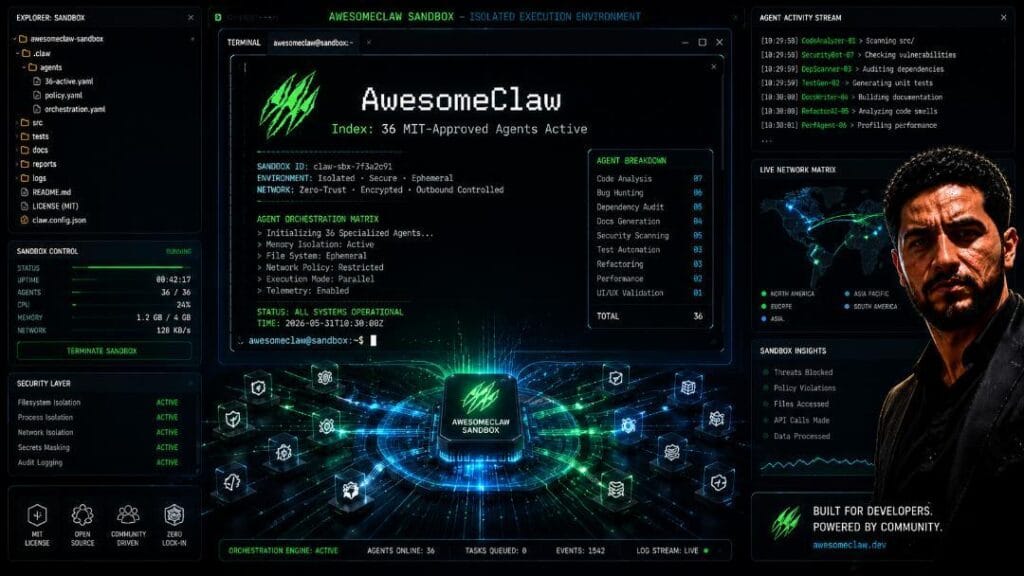

Quick Answer: If you want to automate your tech workflow without spending a fortune, deploying open-source AI Agents is the most cost-effective solution in 2026. While most creators defaults to OpenClaw or Hermes, GitHub’s Polish-developer curated index features 36 specialized, MIT-approved alternatives tailored for specific low-resource setups. Based on my hands-on sandbox testing, lightweight frameworks like PicoClaw allow you to run automated pipelines directly on your smartphone, bypassing expensive server costs entirely.
Inside the Sandbox: My Personal Testing Journey
Most tech creators you watch on YouTube or read on Google are completely stuck in an ideological loop, endlessly recycling basic content about OpenClaw and Hermes. But as someone who builds and breaks software implementations daily, I knew there had to be a more efficient way to manage automation pipelines without melting my local GPU.
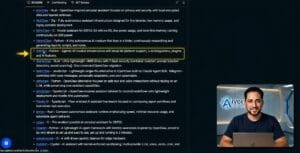
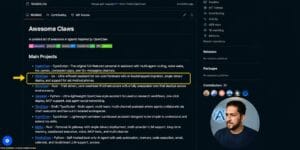
I dove deep into GitHub and discovered a game-changing index curated by an independent developer in Poland containing 36 distinct “Claw” repositories. In the open-source community, “Claw” has evolved from a single project name into a universal term for localized operating environments that bridge Large Language Models with real-world plugins, skills, and model context protocols (MCPs).
If you missed our previous technical deep-dive on setting up auto-indexing with Rank Math to index these custom pages fast, make sure to read our step-by-step guide on Rank Math Instant Indexing Setup to get your site ready for immediate search visibility.
Below is the raw, hands-on review of my execution files after putting these systems through rigorous sandbox testing.
Categorizing the 36 MIT-Approved AI Agents
To make this extensive GitHub registry readable, I have broken down the top-performing repositories into distinct categories based on resources, hardware constraints, and direct sandbox behavior.
Category 1: Full-Fledged Heavy Lifters (Complex Tasks & Research)
1. OpenClaw: The Pioneer Framework
OpenClaw is the grandfather of the modern localized agent movement. If you need a fully customizable personal interface capable of handling complex API chains or video editing pipelines, this is your baseline. You install it locally, plug in your preferred language model, and expand its capabilities using standard web skill repositories.
2. Hermes: The Secure Docker Standard
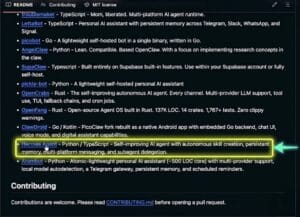
If you want something safer and more optimized than OpenClaw, Hermes is my top recommendation. During my tests, I loved that it runs strictly inside a Docker container. This architecture isolates the agent, ensuring it doesn’t clutter or disturb your main operating system files. It ships with over 89 pre-verified, pre-made skills, allowing it to adapt and learn autonomously out of the box.
Pro-Tip for Best Implementation: If you want to run heavy frameworks like OpenClaw and Hermes 24/7 without slowing down your local machine, the smartest path is deploying them on a Virtual Private Server (VPS).
👉 Get Hostinger at a Discount (Click Here) and claim an exclusive 20% discount when setting up your VPS cloud server for OpenClaw or Hermes using my personal referral link!
3. Moltis: The Long-Term Memory Master
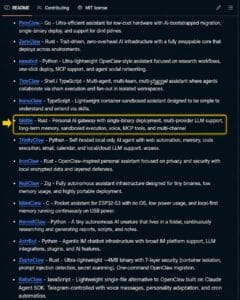
If your automation requires retaining massive amounts of structural data across huge context windows, Moltis is king. It specializes in ultra-long-term memory retention. When I trained it on specific technical sheets, it saved instructions directly into its core memory loop, making it incredibly lightweight yet brilliantly sharp for sequential learning.
4. Astrabot: The Qwen Optimizer
Astrabot installs directly to your system like OpenClaw but comes packed with pre-engineered skills like Hermes. My testing revealed an interesting benchmark: it is exceptionally compatible with Alibaba’s Qwen models. While smaller Qwen models sometimes hallucinate on standard frameworks, they work flawlessly within Astrabot.
Category 2: Enterprise & Office Workflow Automation
1. TiniClaw: The Multi-Employee Chain Agent
TiniClaw is built specifically for corporate ecosystems. It operates on a decentralized “chain base,” meaning you can deploy multiple small TiniClaw environments for different team employees and connect them. It brilliantly automates internal emails, task handoffs, and collaborative workflows without demanding a heavy, expensive API backend.
2. Angelclaw: The Content Creator’s Research Engine
Designed natively for writers, scriptwriters, and digital publishers. Angelclaw runs quietly on a standard business laptop. When I gave it a research prompt, it performed a deep, structured analysis, filtering information based on the exact depth and constraints I provided to polish my scripting workflows.
3. Superclaw: The Dedicated Database Dashboard
Built with an open-source database mindset, Superclaw connects natively with infrastructure like Supabase, SAP, and custom data warehouses. During my rigorous sandbox evaluations, I discovered that choosing dedicated AI Agents for database mapping can drastically cut down API resource consumption. Superclaw’s direct database mapping makes it both incredibly fast and cost-effective.
Also Read: If you are serious about expanding your office automation setup beyond open-source agents, check out my comprehensive Syibble AI Review to learn how it acts as the ultimate dedicated automated sales assistant for businesses.
Category 3: Pocket-Friendly & Mobile Frameworks
1. PicoClaw: Full Agent Capabilities in Your Pocket
Developed by the Chinese open-source community to maximize accessibility, PicoClaw can be installed directly on an iPhone, Android, or iPad. While it mirrors the structural capabilities of OpenClaw, it uses a fraction of the memory. My Advice: Use it for smaller daily micro-automations. Giving it massive video rendering or heavy datasets violates its hardware logic.
2. ZeroClaw: No External LLM Required
ZeroClaw completely removes the headache of API keys. It ships with a proprietary, highly optimized built-in model and localized skills. You simply download, install, and run. It’s an absolute dream for absolute beginners who don’t want to deal with Google Cloud billing setups.
3. Memoclaw: The 24/7 Traveler Agent
Memoclaw is a hyper-portable framework designed to live persistently on mobile devices or secondary phones. By pairing an older Android phone running Memoclaw with a standard USB power bank, I kept a fully functional, plugin-enabled workstation running 24/7 on the go without draining my primary PC.
Implementation Comparison Matrix
Agent Name Primary Use Case Hardware Requirements Best LLM Pairing Open Source License OpenClaw Full Custom Automation Mid-to-High PC / VPS GPT-4o / Claude 3.5 MIT Approved Hermes Secure, Pre-skilled Pipelines Desktop (Docker Required) Llama 3 / Mistral MIT Approved PicoClaw Mobile Automation & Micro-tasks Smartphone / iPad Lightweight Llama-3 MIT Approved ZeroClaw Zero-Configuration Testing Low-End Laptop Built-In Internal Model MIT Approved The Implementation Blueprint: How to Get Started
If you want to move away from expensive proprietary tools and deploy these locally without blowing your budget, here is the golden path I discovered through my testing:
- Step 1: If you are a beginner, download PicoClaw or ZeroClaw directly onto your phone or laptop. It costs zero rupees and requires no external technical setup.
- Step 2: Once you understand how local environments call skills and plugins, upgrade your infrastructure. Get a clean Virtual Private Server (VPS) or cloud instance.
- Step 3: Deploy Hermes via Docker. This path gives you a professional-grade, 24/7 autonomous worker capable of pulling real-time data through verified Model Context Protocols (MCPs).
You can explore the full catalog directly on the official AwesomeClaw Repository on GitHub to download your preferred configuration files.
Ultimately, integrating these localized AI Agents into your daily routine is the ultimate academic and professional competitive advantage in 2026.
Frequently Asked Questions
Q1: What is the main difference between OpenClaw and Hermes?
OpenClaw is a highly customizable blank canvas where you must manually hook up external skills and language models. Hermes is an isolated Docker-based environment that comes pre-packed with over 89 pre-verified skills, making it significantly safer and faster to deploy.
Q2: Can I actually run a full AI agent on a normal smartphone?
Yes! Frameworks like PicoClaw and Memoclaw are engineered specifically for mobile operating systems. They utilize compressed instruction sets to execute automation scripts, email management, and API calls directly from an Android or iOS device.
Q3: Do all these open-source agents require paid API keys?
No. While premium frameworks allow you to plug in paid LLM models, agents like ZeroClaw feature built-in local logic models, allowing you to test complex workflows without spending a single penny.
AI Agents Guide: 36 Best Free MIT Tools You Must Try in 2026