


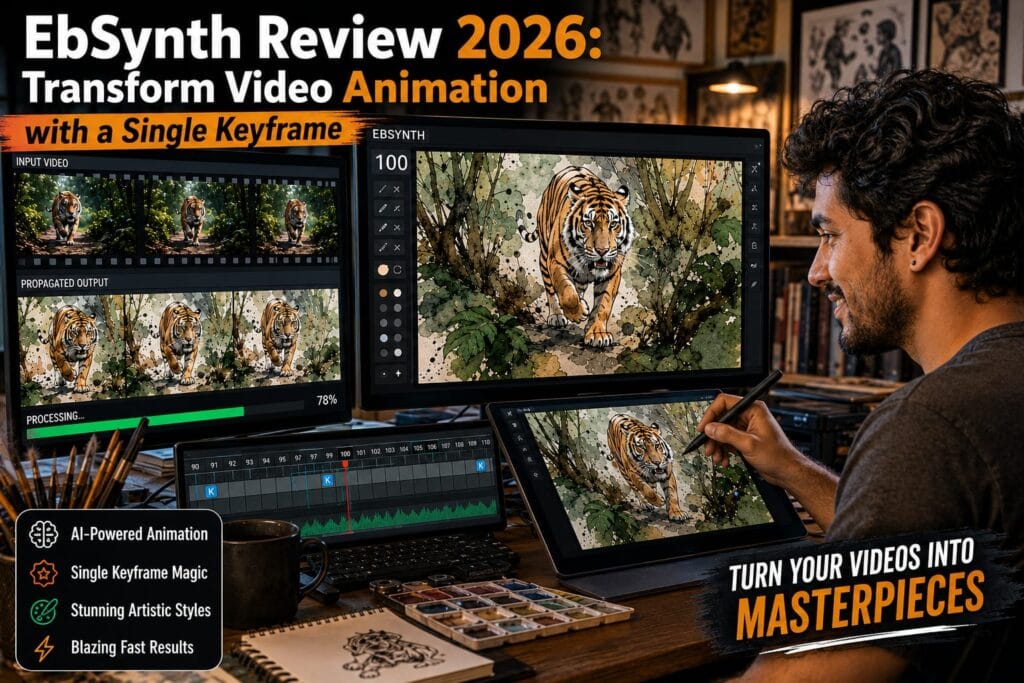
Whether you are a seasoned VFX artist, an independent filmmaker, or a digital creator, transforming live-action video into hand-drawn animation has historically been a time-consuming nightmare. Enter EbSynth, a revolutionary video editing software designed to change the way creators approach visual effects, rotoscopy, and stylization.
By allowing users to paint over just a single keyframe and automatically applying that style to the rest of the footage, this software makes video transformation intuitive, lightning-fast, and artistically liberating. After extensive testing on complex footage, here is a comprehensive look at what makes this tool a game-changer in the VFX industry.
1. What is EbSynth?


EbSynth is a specialized VFX software that enables users to stylize and transform video sequences by editing just one frame. You provide a guiding video and a manually painted keyframe (or a few keyframes), and the software intelligently propagates your brushstrokes, colors, and textures across the entire video sequence.
Unlike many modern AI video generators that hallucinate frames from scratch, this tool keeps you in the director’s chair. It relies on advanced texture-synthesis to preserve the original performance, making it perfect for turning real-life footage into stunning paintings, cartoons, or applying rapid digital makeup.
2. Key Features That Set It Apart
Single-Frame Video Editing
The core magic of EbSynth lies in its frame-based editing. You only need to paint or retouch a single keyframe in your preferred image editor (like Photoshop). Once imported back into the software, those changes propagate flawlessly throughout the entire moving sequence.
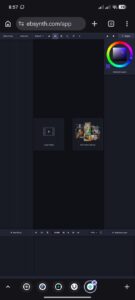
Texture-Synthesis Algorithm (No AI Hallucinations)
While the world is obsessed with generative AI, this tool takes a completely different approach. It uses a proprietary texture-synthesis algorithm. This means the final output is based solely on your input video and your artwork. It preserves the pixel-level content of your keyframe, ensuring the final video looks exactly like your art, not an unpredictable AI interpretation.
[Your Painted Keyframe] + [Source Video] ──> [Texture-Synthesis Engine] ──> [Animated Art Video]
Effortless Retouching and Colorization
Because the software automatically tracks motion, manual frame-by-frame rotoscoping and tracking are virtually obsolete. You can apply digital makeup, color correct specific moving subjects, or retouch blemishes in seconds.
Complete Data Privacy
For professionals handling sensitive footage, privacy is paramount. The platform does not train models on your personal data. Videos and frames uploaded for synthesis remain on your local computer or are handled with strict deletion policies on external servers depending on your configuration.
3. Pros and Cons Breakdown
Here is a quick breakdown of where the software excels and where it has room to grow:
| Pros | Cons |
| Creative Freedom: Total control over the artistic style without generative unpredictability. | Learning Curve: Aligning keyframes and understanding motion timing takes some practice. |
| Time-Saving Workflow: Eliminates tedious manual tracking and traditional rotoscoping. | Desktop/Browser Focus: Not optimized for mobile device editing. |
| Privacy-First: Strict data deletion policies; does not use your work for AI training. | Limited Generative AI: While it has optional features, its core is not a text-to-video AI. |
| Cost-Effective: Generous free tier with no time limits on core functionalities. |
4. Who is Using This Tool?
The platform is versatile enough to be used across multiple creative industries:
-
Film and Animation Studios: Used in major productions for unique, stylized storytelling and fast rotoscoping workflows.
-
Independent Filmmakers: Allows solo creators to achieve high-budget, hand-painted animation looks without hiring massive VFX teams.
-
Digital Artists & Animators: Perfect for bringing static artwork to life and speeding up the animation pipeline.
-
Uncommon Use Cases: Adopted in visual arts courses by educators to teach VFX, and by game developers to create highly stylized, artistic cutscenes.
5. Pricing Plans and Cost-Efficiency
The tool offers a flexible pricing structure to accommodate everyone from hobbyists to enterprise studios:
-
Free Tier ($0): Experience the core texture-synthesis engine with no time or functional limitations. Includes standard HD export capabilities.
-
Pro Tier ($20/month): Unlocks up to 4K video export, PNG sequence outputs, priority processing, and higher generation limits.
-
Studio Plan (Custom Pricing): Designed for enterprise pipelines. Offers command-line automation, completely offline processing, and dedicated technical support.
6. The Verdict: Our Official Scorecard
Based on performance, usability, and value, here is our official rating breakdown for EbSynth:
-
Accuracy and Reliability: 4.2/5
-
Ease of Use: 3.8/5
-
Performance and Speed: 4.1/5
-
Data Privacy and Security: 4.5/5
-
Cost-Efficiency: 4.4/5
-
Overall Score: 4.18 / 5
Combining traditional artistic creativity with powerful texture-synthesis technology empowers you to turn any video into a moving canvas. If you want to maintain strict control over your visual style while cutting hours out of your VFX workflows, this tool is an absolute must-have.
Keep Up With the AI Revolution (Internal Resources):
Want to see how other visual tools handle automated workflows? Read our breakdown on the [ByteDance Seedance 2.5 Launch: Best AI Video Update].
Curious about big tech hardware upgrades? Check out our [Breaking: OpenAI Jalapeño Chip Built in Just 9 Months].
Frequently Asked Questions (FAQ)
Q1. Is EbSynth just another AI text-to-video generator? Ans: Not at all! Unlike generative AI tools that create videos from text prompts (often with unpredictable results), EbSynth relies on a unique texture-synthesis algorithm. You provide a real source video and a hand-painted keyframe. The software then precisely maps your artwork onto the moving video, giving you 100% control over the final artistic style without any AI “hallucinations.”
Q2. Is EbSynth completely free, and can I use it on my mobile phone? Ans: EbSynth offers a very generous free tier that includes its core texture-synthesis engine and standard HD export with no time limits. However, it is currently a desktop-only software, meaning it is not optimized for mobile editing. For professionals needing 4K exports or PNG sequences, there is a Pro tier available for $20 per month.
Learn more about general software tracking at official channels like OpenAI.