


Why This Kinovi AI Review is Essential in 2026
Kinovi AI Review is the most searched topic for creators who are tired of “random” AI videos and want real directorial control. In the rapidly advancing AI landscape of 2026, the novelty of simple text-to-video has worn off. Professional creators now demand a tool that respects their vision, and that is exactly what Kinovi delivers. Built on the powerful Seedance 2.0 backbone, Kinovi isn’t just another generator—it’s a digital film studio that treats you like a director rather than just a prompter. At Aivora, we’ve tested dozens of video tools, but Kinovi’s unique “Reference-Driven” workflow sets it apart as a leader in cinematic AI.
What is Kinovi AI?
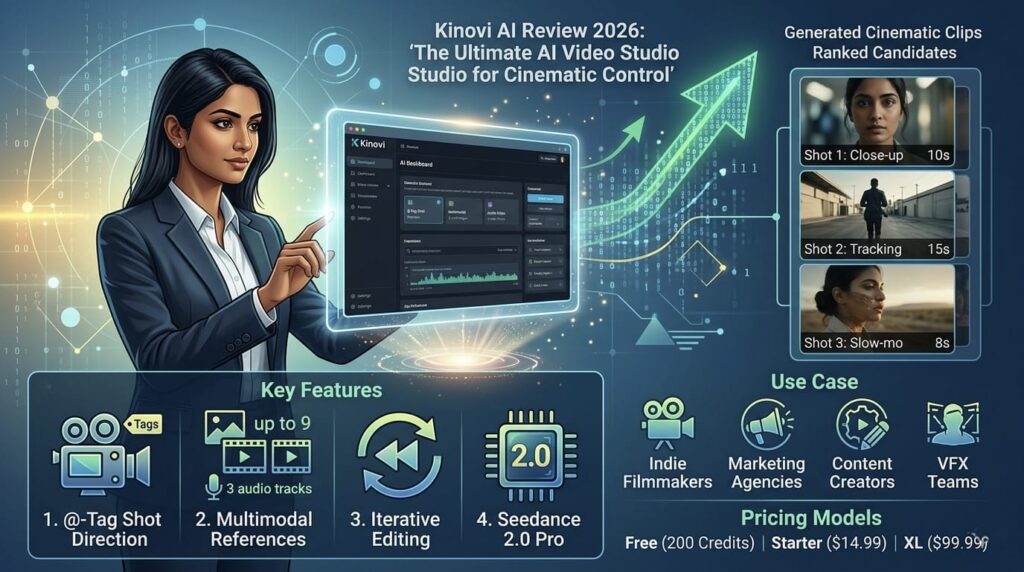
Kinovi AI is an advanced AI video creation platform that specializes in turning short text prompts and visual references into high-quality cinematic clips. Unlike traditional models that rely solely on text, Kinovi allows you to “guide” the AI using a multimodal stack: up to 9 images, 3 video clips, and 3 audio tracks simultaneously. The platform is powered by Seedance 2.0 Pro, a model known for its fluid, natural-looking motion and ability to handle complex physics without the “jitter” common in older AI models.

Core Features: Mastering the Art of AI Direction
1. Multimodal Reference Stack
In this Kinovi AI Review, the most impressive feature we found is the multimodal stack. Most tools are a “black box,” but Kinovi lets you upload visual and audio references to ensure the final output matches your specific vision for composition, lighting, and rhythm.
2. Revolutionary @-Tag Shot Direction
This is Kinovi’s standout innovation. You can tag uploaded files with an @ symbol in your prompt to give the AI specific instructions. For example, you can assign an image as the “First Frame” or use a video clip to define the “Camera Movement”. This granular control makes it feel more like a professional directing toolkit than a casual AI toy.
3. Short-Form Cinematic Excellence
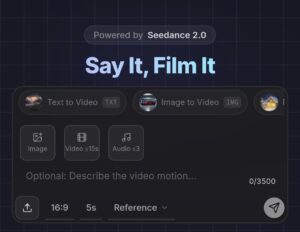
Kinovi focuses on 4 to 15-second clips at a 16:9 aspect ratio. While this may seem short, it is the perfect length for social media hooks, previsualization (Previz) for films, and high-quality B-roll for professional edits.
Kinovi AI Review: Pricing and Credit Economics
In 2026, creators prefer flexibility over heavy monthly costs. Kinovi uses a one-time, credit-based model.
| Plan | Price (One-Time) | Benefits |
| Free | $0 | 200 Credits, No Watermark, Commercial Use |
| Starter Pack | $14.99 | 3,000 Credits, Credits Never Expire |
| XL Pack | $99.99 | 22,000 Credits, Full Commercial License |
Note: Per-second generation costs roughly $0.20 to $0.40 depending on your credit pack.
To explore the latest credit packs and generation features, you can visit the official Kinovi Website for real-time updates.
Pros and Cons: A Balanced View
The Pros:
-
Granular Control: @-tagging gives you actual “camera feel” control.
-
Production Quality: Clean, cinematic outputs without watermarks on all tiers.
-
Flexible Budgeting: Non-expiring credits are perfect for freelance work.
-
Fast Iteration: Capable of generating clips in under 5 seconds in some cases.
The Cons:
-
Learning Curve: Managing multiple references and tags takes practice.
-
Short Clips: You need an external editor to stitch multiple shots together.
-
Cost Variable: Heavy experimentation can become expensive over time.
Who Should Use Kinovi AI?
Our Kinovi AI Review identifies four key user groups:
-
Indie Filmmakers: For blocking out shots and creating high-quality mood boards.
-
Creative Agencies: For rapid prototyping of commercials and social spots.
-
Content Creators: To generate stylized transitions and B-roll for YouTube and TikTok.
-
VFX Teams: For motion testing and quick visualization of cinematic concepts.
Conclusion: Final Verdict on Kinovi AI Review
To conclude our Kinovi AI Review, this tool is a game-changer for creators who want to do more than just click a button. By shifting the focus to multimodal references and director-led tagging, Kinovi provides a professional, repeatable workflow for 2026. At Aivora, we recommend Kinovi to anyone serious about integrating AI into their film production pipeline. For more on AI tools, visit our official homepage at Aivora.