Quick Answer:
Is traditional software engineering dead when evaluating Cursor AI vs VS Code? No, but the developer’s role is fundamentally transitioning from manual syntax entry to system architecture management. While VS Code remains a robust, free, open-source environment reliant on third-party plugins like GitHub Copilot, Cursor AI is a fully autonomous AI-native fork of VS Code. Backed by its state-of-the-art Composer 2.5 engine, native MCP server integrations, and autonomous code self-healing through the Bugbot loop, Cursor AI enables developers to execute complex multi-file updates directly within the IDE, establishing itself as the premier choice for rapid, modern software building.
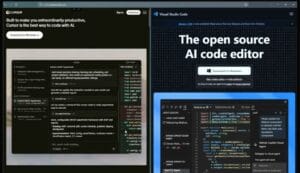
The Shift from Syntax to Architecture
The standard development workflow is undergoing an unprecedented structural revolution. For over a decade, Microsoft’s Visual Studio Code (VS Code) has reigned supreme as the industry’s most stable, customizable, and lightweight open-source text editor. However, the rise of agentic software engineering has birthed an incredibly fierce competitor built directly on top of VS Code’s core architecture: Cursor AI.
This technical evaluation analyzes the ultimate cross-platform developer question: Cursor AI vs VS Code: Is Traditional Coding Dead? For tech leads, independent web developers, and modern software creators, choosing between an extension-driven environment and a native, multi-file agentic workspace defines how fast an MVP goes from raw ideation to production.
                                [The Developer Prompt]
                                          |
         _________________________________|_________________________________
        |                                                                   |
        v                                                                   v
   [Cursor AI Environment]                                       [VS Code IDE Ecosystem]
        |                                                                   |
        ├── Native Composer 2.5 Engine                                      ├── Open-Source Core Stability
        ├── Autonomous Multi-File Agents                                    ├── Heavy Third-Party Extensions
        └── Built-in Bugbot Auto-Reviews                                    └── Manual System Configuration
Inside the Core Sandbox: What Actually Changed?
Let’s answer the core question directly: Traditional line-by-line coding isn’t dead—but it has officially evolved. When building software today, the friction is no longer about remembering exact syntax or hunting down broken semicolons manually. Instead, the focus has shifted entirely to technical context management, structural architecture, and precise prompting.
When running parallel multi-file builds across both platforms, the operational differences are stark. VS Code remains an unbreakable, reliable tank; it does exactly what you configure it to do through external plugins like GitHub Copilot or custom terminals. However, Cursor AI redefines the space by treating the AI not as an autocomplete tool, but as a built-in pair programmer. Driven by the Composer 2.5 engine, Cursor can seamlessly refactor code across multiple files, connect natively to databases via Model Context Protocol (MCP), and self-heal its own compiling bugs autonomously.
Feature Deep Dive: Structural Head-to-Head Comparison
When breaking down Cursor AI vs VS Code, developers face significant operational differences in everyday workflows:
1. Native Agentic Workflows vs. Extension Bloat
The core architectural difference comes down to native integration.
-
Cursor AI: Built as an autonomous fork of VS Code, meaning all your favorite extensions, keyboard shortcuts, and UI layouts transfer instantly. The game-changer is its native Composer Mode, allowing an AI agent to read your entire repository context, execute multi-file changes, and modify background logic simultaneously.
-
VS Code: Relies entirely on installing third-party plugins (like GitHub Copilot or external LLM chat extensions). While functional, these add-ons operate inside standalone chat windows and often lack the deep, native multi-file editing precision of an AI-first IDE.
2. Autonomous Bug Hunting and Error Correction
Debugging defines developer velocity. In Cursor AI, the built-in Bugbot system reviews your local diffs before pushing to production, running automated checks that identify and patch code breaking cycles in seconds. In traditional VS Code, unless you heavily string together multiple linting plugins and CI actions, identifying complex multi-file errors remains a manually intensive, step-by-step terminal troubleshooting process.
3. Open Source Freedom vs. Subscription Models
Financial sustainability matters for independent web developers and startups:
-
VS Code: 100% free, open-source, and incredibly lightweight, making it perfect for developers handling massive, resource-heavy corporate systems that require completely air-gapped security frameworks.
-
Cursor AI: Operates on a tiered subscription framework to cover cloud LLM API costs. While the Hobby Tier is free, intense daily engineering demands require the $20/month Pro plan or higher tiers ($60 Pro Plus / $200 Ultra) to unlock priority queues for advanced long-context models.
Financial Architecture: Cursor AI Pricing Plans Comparison
To help you calculate your development tool budget, here is how Cursor AI structures its model usage tiers:
-
Hobby Plan (Free): Includes a basic 1-week Pro trial with limited monthly credit access. Great for beginners exploring the interface.
-
Pro Plan ($20 / Month): Offers substantial credit access and full background agent capabilities. This tier is the true sweet spot for solo creators and full-time developers.
-
Pro Plus Plan ($60 / Month): Triples your high-priority model access, designed for intensive full-stack deployment cycles.
-
Ultra Plan ($200 / Month): Provides 20x resource allocation and priority access to cutting-edge model drops.
Comparison Matrix: Analyzing the Coding Environments
| Performance Metric | Cursor AI Native Agent Workspace | Visual Studio Code (VS Code) |
| Core Architecture | VS Code Fork with Native LLM Engine | Standard Open-Source Code Editor |
| Multi-File Code Edits | Built-in via Composer 2.5 System | Requires separate plugin integration |
| Debugging Integration | Automated via autonomous Bugbot system | Manual terminal debugging & breakpoints |
| Extension Support | Supports all native VS Code extensions | Universal, industry-standard marketplace |
| Operational Costs | Free tier available; Pro starts at $20/mo | 100% Free and open-source worldwide |
Technical Link Building Strategy: Integrating Platform Reviews
To optimize your automated workspace ecosystem and learn more about connected application deployment frameworks, view our hands-on reviews:
-
Read our Ultimate Lovable.dev Review
See how browser-driven workspace engines deploy rapid full-stack application modules using a streamlined 100-credit sandbox pipeline.
-
Read our Powerful Bolt.new Review
Track how local WebContainer architectures manage frontend component assemblies without requiring third-party extension layers.
The Verdict: Cursor AI or VS Code?
When concluding our definitive evaluation of Cursor AI vs VS Code, the right choice depends heavily on your daily production demands. If your software engineering parameters dictate a 100% free, rock-solid, privacy-first offline environment where you maintain absolute control over every script expansion, VS Code remains the undisputed gold standard.
However, if your primary goal is sheer development velocity, rapid prototyping, and reducing your daily debugging friction by offloading multi-file tasks to an intelligent agent, Cursor AI is the clear winner. Its ability to operate as a cohesive, AI-native environment makes it the most powerful tool for modern developers aiming to build more software in less time.
Download Your IDE Workspace: Scale your software projects natively by downloading the Official VS Code Editor or supercharge your development velocity on the Cursor AI Native Platform.
Frequently Asked Questions (FAQ)
1. Will my current VS Code themes and extensions work inside Cursor AI?
Yes. Because Cursor AI is a direct fork of VS Code, your existing extensions, custom configurations, color themes, and personalized keybindings transfer over automatically during installation.
2. Can Cursor AI fix bugs across my codebase automatically?
Yes. Through its advanced codebase indexing and native Bugbot features, Cursor can analyze your entire project structure to locate, explain, and write patches for logic breaks across multiple files seamlessly.
3. Is Cursor AI safe to use for proprietary business code?
Yes, but you must manually enable “Privacy Mode” inside your editor settings. This ensures your custom code bases are not stored on external cloud servers or used for future LLM training cycles.
Related Posts
Ultimate AgentGPT Review 2026: Best AI Agent Builder
The search for the absolute best guide on AgentGPT ends…

Top 5 Free AI Voice Generators 2026: 100% Human-Like TTS
Quick Answer If you are looking for the absolute best…

Top 5 AI Marketing Tools 2026 to 10x Your Sales
Quick Answer The best AI Marketing Tools 2026 depend heavily…